

In the modern enterprise, identity is the new perimeter. Organizations have invested heavily in centralizing identity through LDAP, Active Directory, and Cloud IdPs. However, a persistent security gap remains at the "last mile" of infrastructure: local operating system accounts.
We are excited to announce that IBM Vault Enterprise 2.0 introduced a dedicated plugin for password rotation of local accounts. Initial supported operating systems include Red Hat Enterprise Linux (RHEL), Ubuntu and more. This new capability allows organizations to bring unmanaged local accounts — often the forgotten “backdoors” of a network— under the rigorous control, rotation, and auditing standards of Vault Enterprise.
»The risk of the unmanaged local root
Security-conscious organizations frequently struggle with administrative accounts on local systems that fall outside the scope of traditional centralized identity providers. This creates several critical pain points:
LDAP/AD gaps: Certain legacy systems, isolated edge devices, or highly sensitive DMZ hosts may not be integrated with LDAP or Active Directory solutions due to networking constraints or security policies.
The "common password" trap: In many environments, the local root user or a standard "admin" account shares a single, well-known password across hundreds or thousands of servers.
Visibility deficit: Without centralized management, system administrators lack a clear audit trail of who accessed a local account, when they accessed it, or whether that credential was ever changed.
These gaps create an unknowable risk profile. A single compromised credential on one server can lead to lateral movement across the entire fleet, as the attacker effectively holds the "skeleton key" to every local system.
»Centralized control for local accounts
The new local account password rotation plugin bridges this gap by treating local OS credentials as managed secrets within Vault. For the first time, Vault Enterprise customers can manage local system account passwords with the same ease as database credentials or cloud IAM roles.
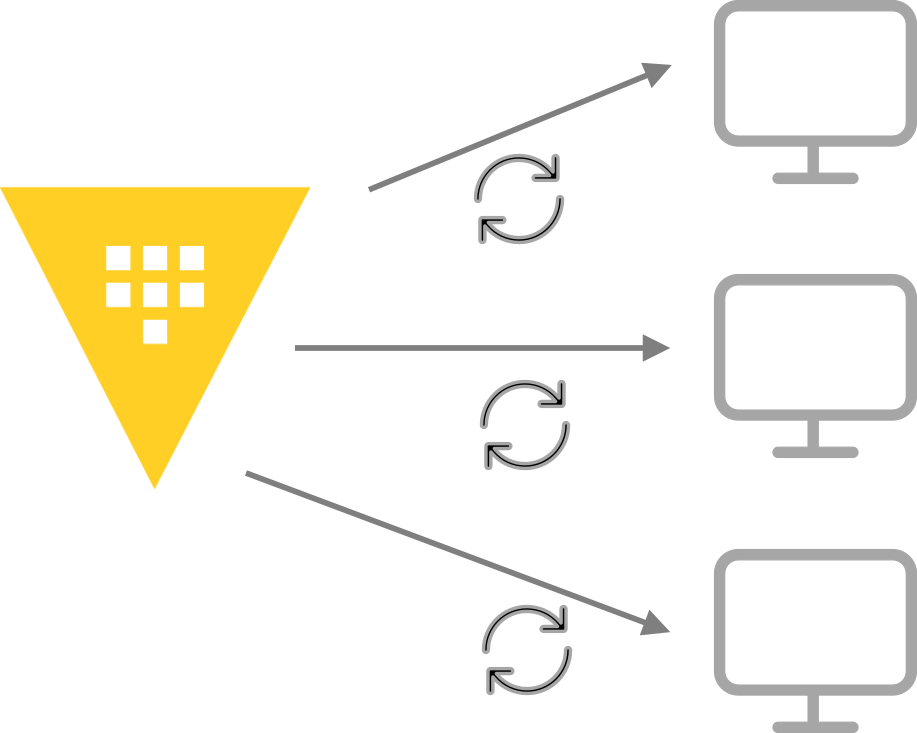
Local account password rotation
»How it works
The external plugin provides a secure connection between the user and the target host:
Secure connection: The plugin uses the SSH protocol to establish a secure connection to the remote server.
Automated rotation: Vault executes password rotations directly on the host, ensuring the OS and Vault stay in perfect sync.
Unique credentials: Each system is assigned a distinct, unique password. This effectively eliminates the risk of a single password leak compromising multiple systems.
Time-limited access: Passwords can be configured to rotate periodically or on demand using the API, ensuring that "standing privileges" are a thing of the past.
Integration with your workflow: Control rotations via the Vault API, CLI, or directly through infrastructure as code (IaC) using the Terraform provider for Vault.
»Flexibility for diverse target accounts
Not all local accounts serve the same purpose. The local account password rotation feature is designed to handle a variety of critical use cases where traditional identity providers might fail:
Unmanaged and emergency accounts: Secure accounts that exist entirely outside of LDAP, including "emergency" accounts that must remain functional even if the primary identity provider or network goes down.
Privileged repair accounts: Maintain accounts with the specific permissions required to fix LDAP client configurations or connectivity issues on the host itself.
Flexible rotation models:
Self-managed rotation: Local accounts can be configured to rotate their own passwords securely.
Rotation via a parent account: For organizations with strict compliance requirements that prohibit accounts from changing their own credentials, Vault can use a designated "parent" account on the same host to perform the rotation.
»Enhanced secret management and lifecycle control
Beyond simple rotation, this plugin introduces robust secret management features that ensure your credentials are recoverable, auditable, and easy to access for authorized users. Most of all, you can eliminate the manual overhead of tracking local passwords in spreadsheets or decentralized "key rings”.
Secret retrieval: Vault clients can seamlessly read the current account credential for any managed host through the standard Vault API or CLI.
Versioning and lifecycle management: Every password update is versioned within Vault. This ensures a safety net for credential recovery and prevents lockouts during complex infrastructure changes.
Compliance reporting: Every password version includes a comprehensive rotation history. This provides the granular usage reporting and audit trails necessary to satisfy strict regulatory compliance requirements.
»Key benefits: Reducing the attack surface
By migrating local account management into Vault Enterprise 2.0, organizations realize immediate security and operational gains:
Minimized blast radius: Because every local password is unique, a leak on one system is isolated. Attackers can no longer "hop" from server to server using the same administrative credentials.
Full auditability: Every request for a local password is logged in Vault’s audit device. You gain a centralized record of which identity accessed the local system.
Rapid incident response: In the event of a suspected security incident, administrators can initiate an immediate, user-initiated rotation across the entire environment. This allows for a "lockdown" of local access in seconds.
»Conclusion
Local accounts have long been a blind spot for security teams, but they don't have to be. With the release of Vault Enterprise 2.0, we are providing the tools to bring these accounts into a modern, identity-based security framework. By replacing shared, static local account passwords with unique, rotated credentials, your organization can significantly reduce its attack surface and regain control over the "last mile" of your infrastructure.
Ready to secure your local accounts? Check out the Vault Enterprise 2.0 documentation to get started with the Linux local account rotation plugin. You can also learn about more great new Vault 2.0 features in the release blog.