


As organizations face growing security and regulatory requirements, maintaining compliant infrastructure becomes increasingly complex. Many organizations use policy as code to define and enforce guardrails consistently across their infrastructure estates. But operationalizing policy as code can still require significant time and specialized expertise.
Today, we are excited to announce the general availability of the native pre-written policy experience in HCP Terraform. With this release comes a new discovery page, support for stacks, a policy update and nudge experience, and a significantly expanded policy catalogue covering more compliance standards for AWS, Azure, and Google Cloud.
In this post, we'll look at the challenges of operationalizing policy as code and walk through what's new in this GA release.
»Operationalizing policies at scale
HashiCorp already provides pre-written Sentinel policies for common security and compliance requirements, including AWS CIS Foundations Benchmark, AWS Foundational Security Best Practices (FSBP), NIST SP 800-53, and other frameworks.
Previously, teams had to find the appropriate policies outside HCP Terraform and bring them into their policy workflows. Teams creating their own policies also had to interpret compliance controls, translate those controls into policy logic, and test and maintain the resulting policies over time.
This work grows as organizations adopt more cloud providers, services, and compliance frameworks. The challenge is not simply making pre-written policies available. Teams also need a straightforward way to discover, review, choose enforcement for, and apply them through their existing Terraform workflows.
»Native pre-written policies in HCP Terraform
The native pre-written policy experience brings HashiCorp-managed policies into the HCP Terraform policy set creation workflow. With this new approach, users can:
Select the new pre-written policy set type
Search and filter available policies by cloud provider, service, and compliance framework
Review policy details before selecting
Select one or more policies for the policy set
Configure the supported enforcement mode for each policy
Attach the completed policy set to an organization, project, or workspace
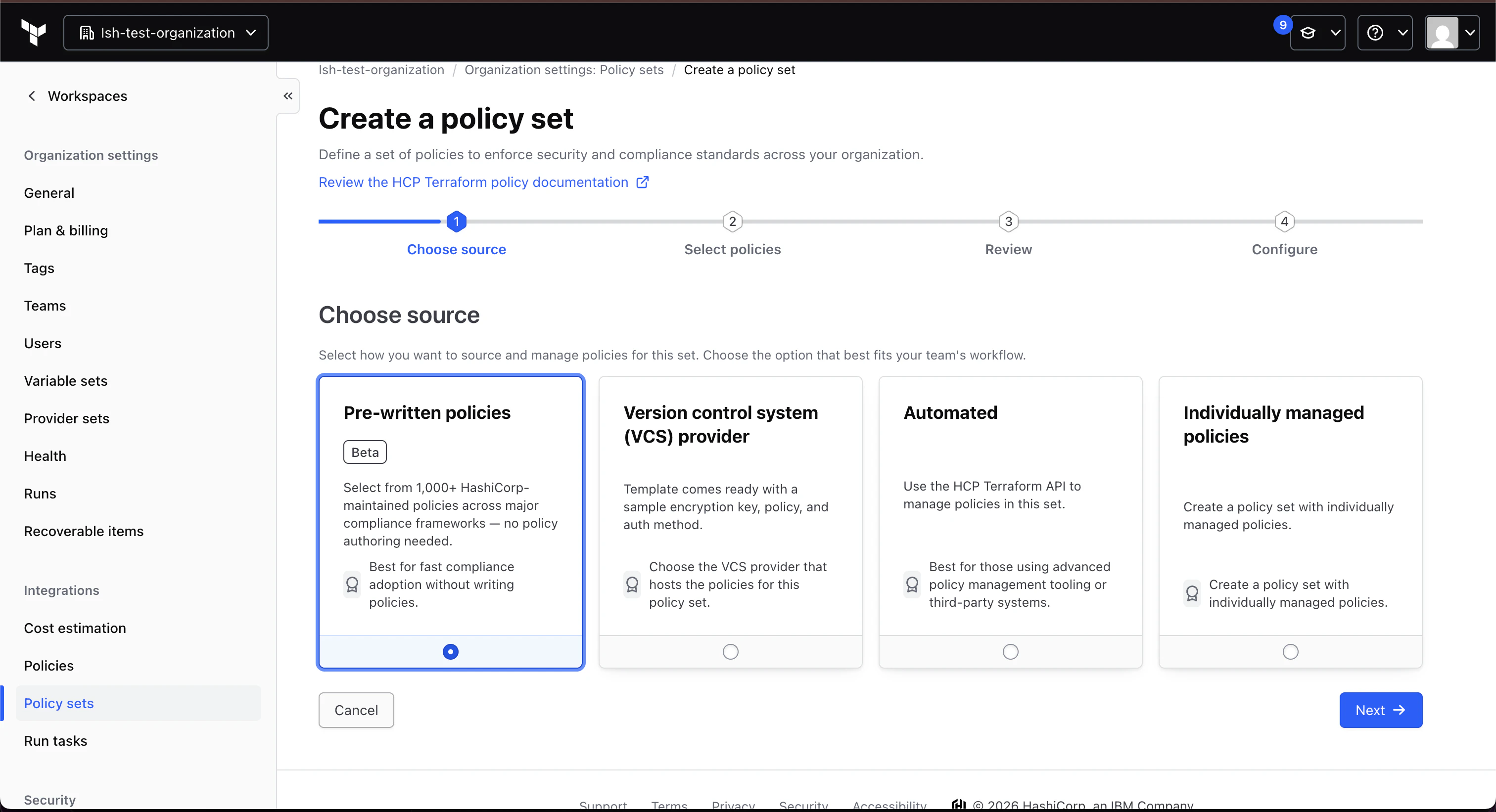
Create a policy set with pre-written policies
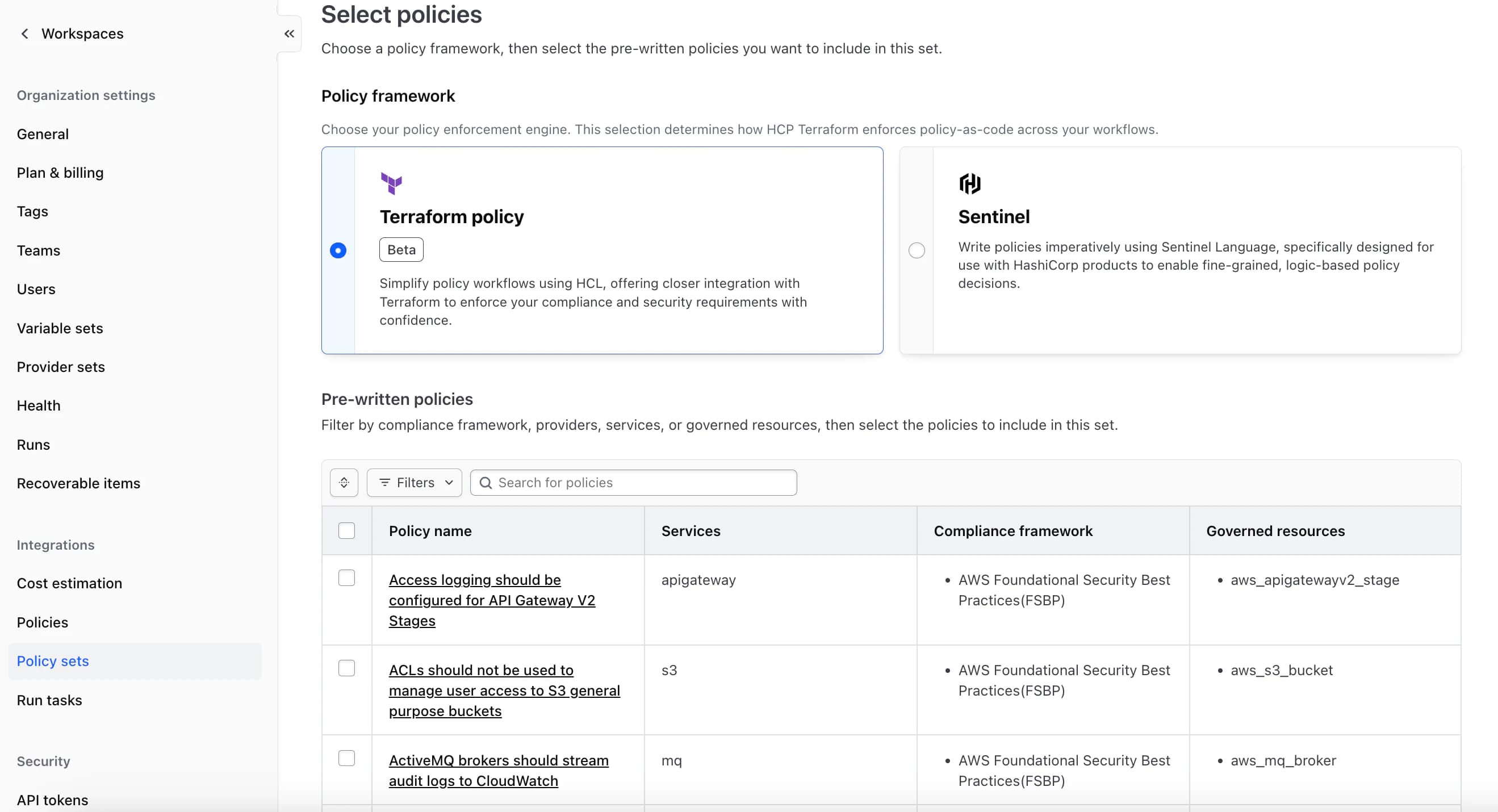
Select pre-written policies for your policy set
Native pre-written policies are managed by HashiCorp and remain read-only in HCP Terraform. This helps protect the integrity of each policy while allowing organizations to decide where and how they should be enforced. The initial public beta focuses on policies aligned with AWS Foundational Security Best Practices (FSBP) and AWS CIS Foundations Benchmark, with support for additional compliance standards including a limited set of CIS Foundations Benchmark Policies for Microsoft Azure and Google Cloud coming soon.
The experience supports both existing pre-written Sentinel policies and new pre-written policies authored using Terraform policy through the same policy set workflow. Sentinel pre-written policies are available for organizations using agent execution mode. Pre-written policies default to Advisory enforcement, allowing teams to identify violations without blocking Terraform runs. When teams are ready, supported policies can be configured as Mandatory to block non-compliant runs.
Together, these capabilities make it easier for teams to adopt policy as code, apply consistent guardrails, and scale governance across their Terraform environments.
»What's new in general availability
»A new pre-written policy discovery page
Finding the right policy shouldn't require knowing where to look. The new pre-written policies discovery page gives you a single place in HCP Terraform to explore the full HashiCorp-managed catalogue. Browse and search policies, filter by cloud provider, service, and compliance framework, and review policy details, including the existing policy sets each policy already belongs to.
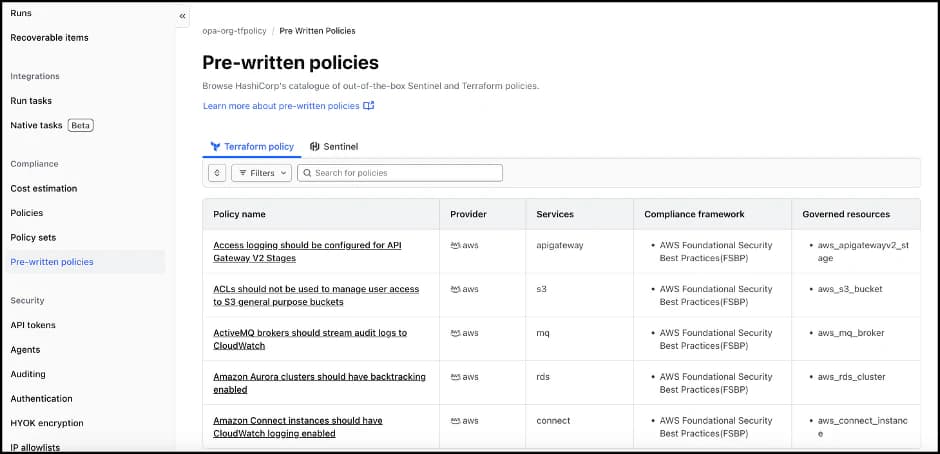
Pre-written policies discovery page
»Scope and evaluate pre-written policies against stacks
Pre-written policies can now be scoped to stacks, in addition to organizations, projects, and workspaces. Teams using stacks to manage multi-component, multi-environment infrastructure can apply the same compliance guardrails they use elsewhere, without maintaining separate policy workflows. This helps you keep governance consistent as you scale deployments across accounts, regions, and environments.
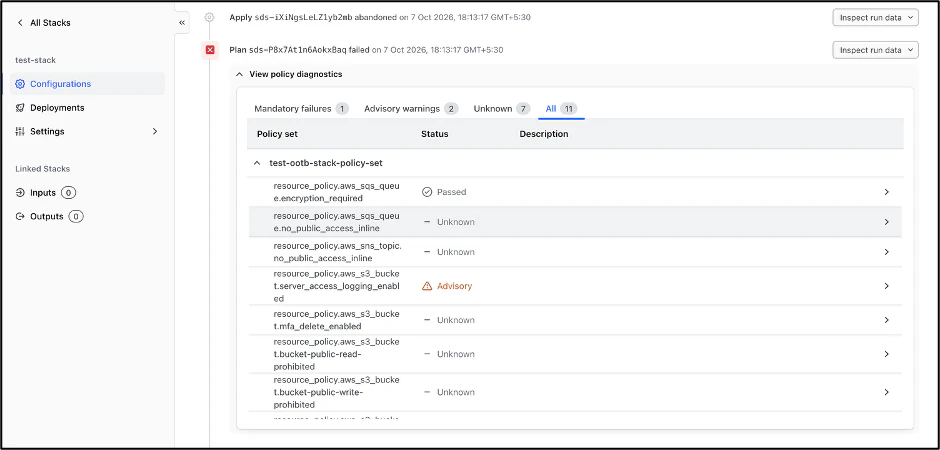
Pre-written policy set evaluating a stack
»Policy updates and nudge experience
Pre-written policies are maintained by Hashi Corp, so they evolve as cloud services, benchmarks, and framework requirements change. With GA, HCP Terraform notifies you when a newer version of a pre-written policy in your policy set is available, so you can review what changed and update on your schedule. This helps ensure your guardrails stay aligned with current best practices without requiring you to track upstream changes manually.
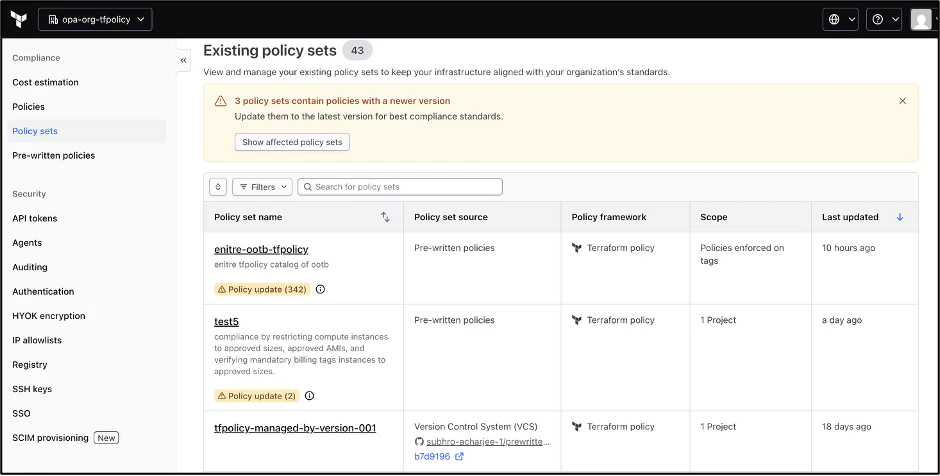
Policy updates nudge in an existing policy set page
»Expanded pre-written policy catalogue
The pre-written policy catalogue now covers more compliance frameworks and more clouds. In addition to the AWS Foundational Security Best Practices (FSBP) and AWS CIS Foundations Benchmark policies available in beta, the GA catalogue adds support for:
PCI DSS for AWS
NIST SP 800-53 Revision 5 for AWS
ISO/IEC 27001:2013 Annex A for AWS
AI Security Best Practices for AWS
CIS Microsoft Azure Foundations Benchmark v6.0.0
CIS Google Cloud Platform Foundation Benchmark v5.0.0
Together, these standards help teams address common regulatory and security requirements from a single policy set workflow.
»Get started with a faster path to policy adoption
Pre-written policies reduce the work required to apply common guardrails in HCP Terraform while preserving the flexibility to create custom policies for organization-specific requirements.
To try it today, select the Pre-written policies option when creating a new policy set in HCP Terraform. Refer to our manage policy sets documentation for step-by-step instructions.
Looking to author custom policies alongside these pre-written controls? Check out our introduction to Terraform policy to get started.