

This summer, AWS introduced its new AI-powered coding environment (IDE and CLI) called Kiro. This week at re:Invent 2025, they introduced a new core component to their tool: Kiro powers. A power is a bundle of specialized knowledge and tools for working with a specific technology in Kiro — think of it as an alternative to a traditional MCP server.
Today, we're excited to announce that HashiCorp is one of the Kiro powers launch partners, offering a new HashiCorp Terraform power for Kiro. The new Terraform power for Kiro promises to bring infrastructure as code expertise directly into your Kiro development workflow. Let’s take a deeper look at what this announcement means.
»What is Kiro power?
Kiro powers add specialized context and tools to the Kiro agents on-demand. They bundle MCP tools, steering files, and hooks into one installation. This style of context-sharing gives agents specialized knowledge without overwhelming them with context. One click from the IDE, and your agents know how to work with that technology.
This process differs from traditional MCP servers, which load all their tools into context immediately and can sometimes overwhelm the agents and cost more tokens than necessary.
But similar to MCP servers, this approach eliminates the need for constant context switching between an IDE and documentation. Instead, with the power activated, Kiro can bring specialized knowledge and tools into the IDE when required. And just like MCP servers, anyone can build and share a Kiro power.
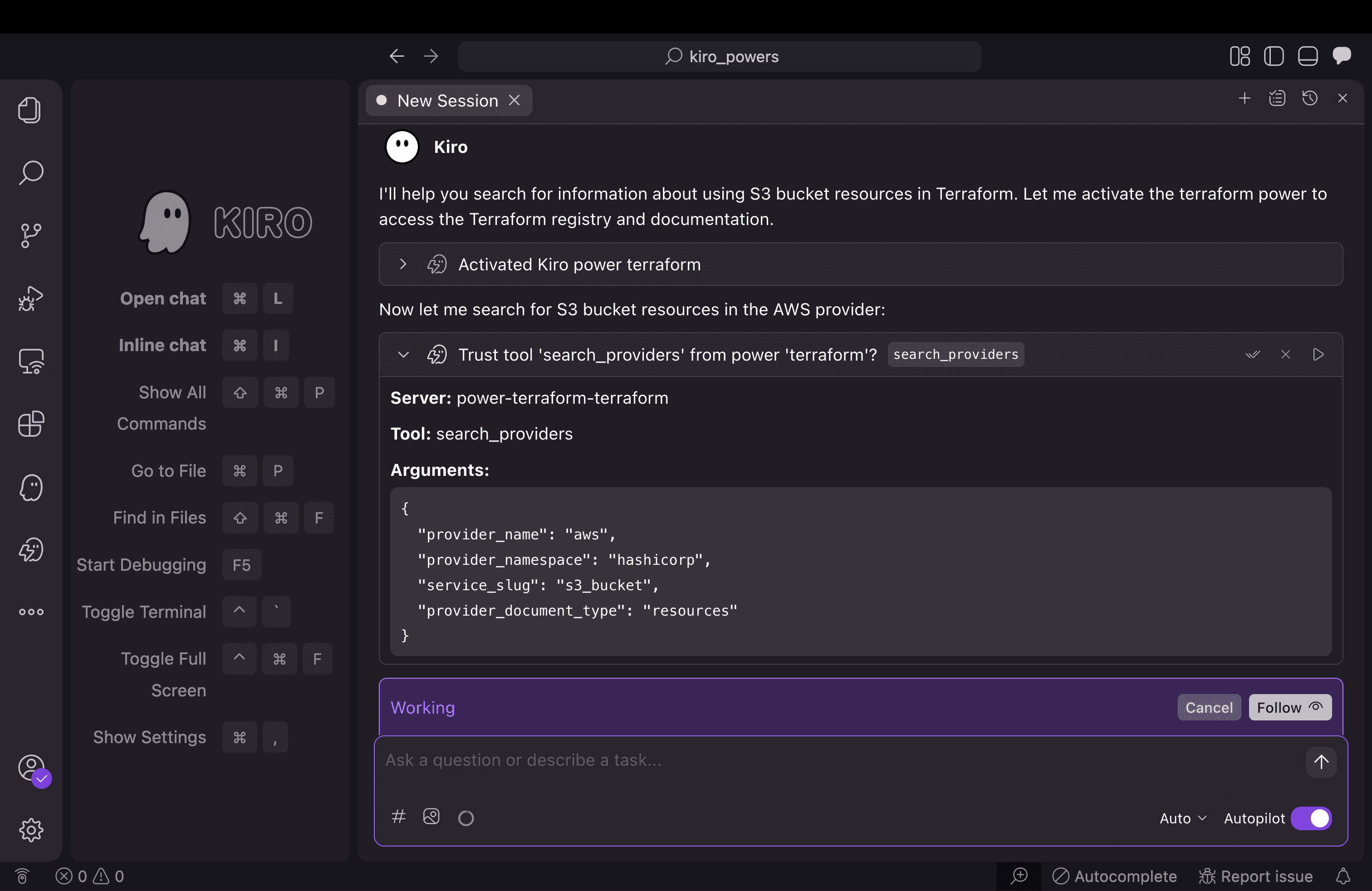
Kiro activates the Terraform power in a session and provides specialized assistance directly in the tool with no context switching.
»What are the benefits of the Terraform power?
Once the Terraform power is installed, whenever you mention infrastructure or Terraform-related tasks, the power activates automatically, providing access to best practices, configuration templates, and deployment workflows. And as mentioned previously, Terraform power for Kiro can significantly reduce token and context consumption.
The context is only active when you need it. The Terraform tools stay hidden until you specifically mention things like "Terraform", "infrastructure", or "deployment." This dynamic loading keeps your context window clear and ensures the Terraform power is only running when you actually need it, providing a cleaner, more efficient, and more focused developer experience.
This HashiCorp-developed Kiro power enables developers to build, manage, and deploy cloud infrastructure using Terraform's declarative configuration language — all with the intelligent assistance of Kiro's AI agent.
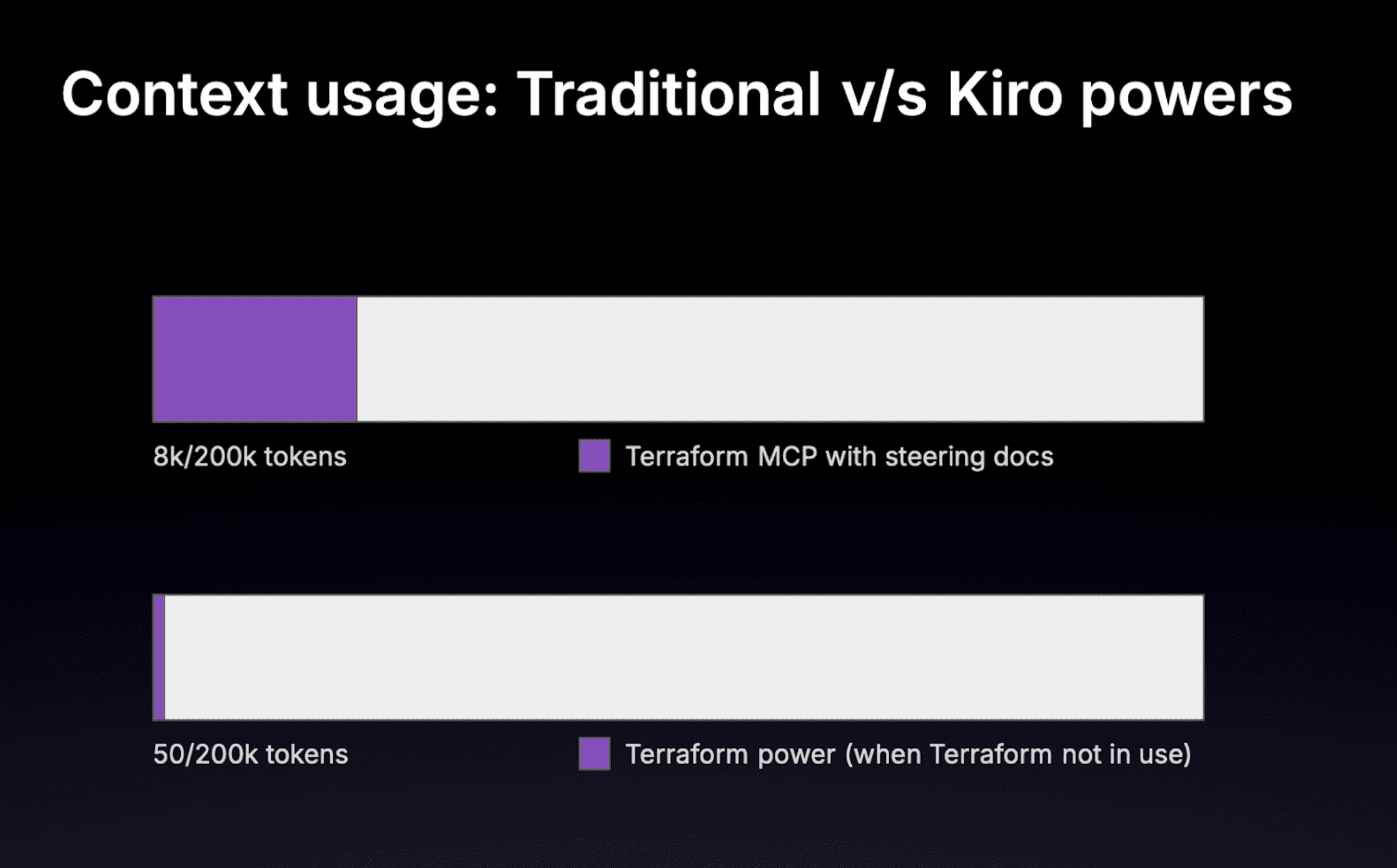
The first bar shows token usage when the MCP server is loaded without Kiro powers; the second bar shows the token usage after the Terraform Kiro power has been loaded.
»Get started
Installing the Terraform power is straightforward:
Open the powers panel in the Kiro IDE
Search for "Terraform"
Click "Install" and the power registers automatically
Start building infrastructure. If you mention Terraform or infrastructure tasks, the power activates automatically.
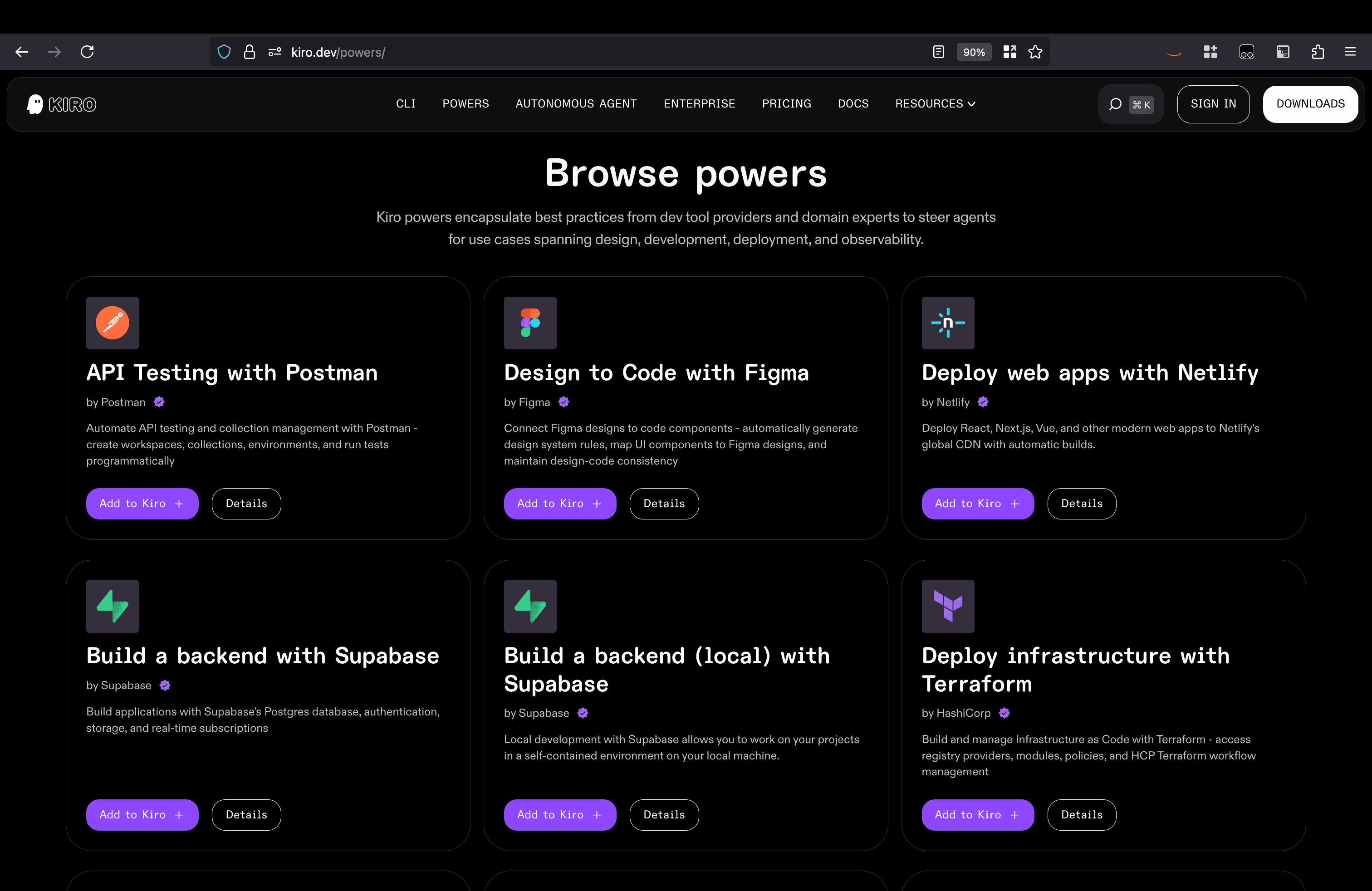
You can also add powers from the Kiro website if you go to the Powers tab and scroll down to “Browse powers”.
You can also import the power directly from its GitHub repository URL using Kiro's custom power import feature. Learn more about Kiro powers at kiro.dev/powers and explore the Terraform power implementation on GitHub.